Applying Process Loss to Nutritional Values
Baking, boiling or drying changes the weight of your product, and with it the nutritional values per 100 grams. In Eclarion you record this process loss as a weight change in moisture and fat, or work it out from the weights before and after processing. Eclarion then recalculates the nutritional values.
Enter the Weight Change
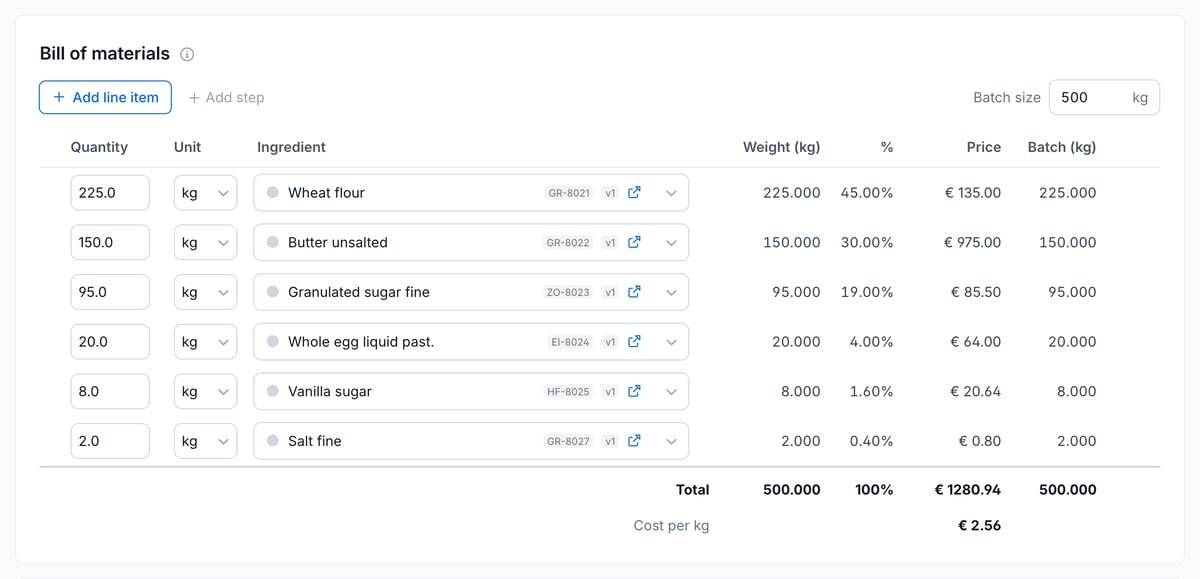
The Bill of materials tab lists the ingredients for the batch, which in this example add up to 500 kg of butter biscuit dough.
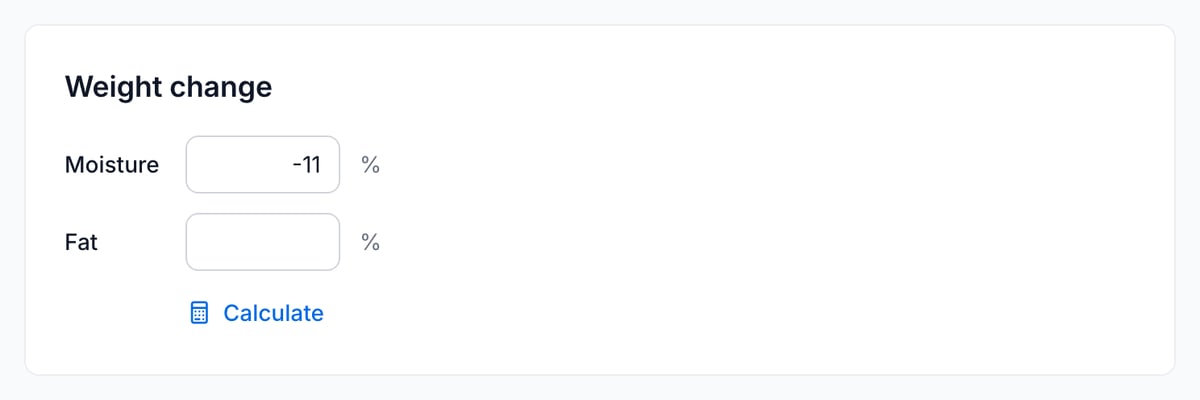
Below the bill of materials you'll find the Weight change block, with a field for Moisture and a field for Fat. Enter percentages of the raw weight, using a negative number for a loss. If the product absorbs moisture or fat, enter a positive number.
Already know the percentages, for example from an earlier measurement? Type them here and move on to the nutritional values.
Work Out the Percentages from the Weights
If you weigh the product before and after processing, Eclarion works out the percentages for you. Click Calculate under the fields and enter the Total weight of raw ingredients and the Total weight after processing.
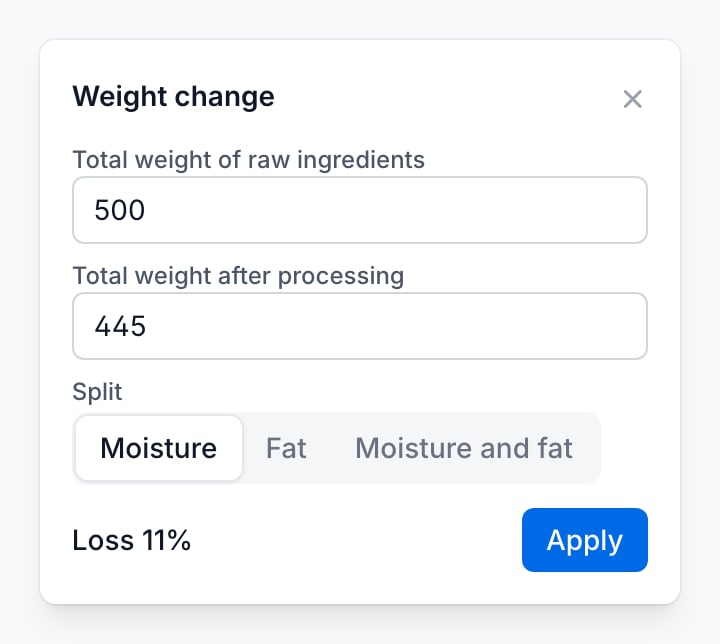
Under Split you choose where the difference comes from:
- Moisture: the difference is all moisture, as in biscuit baking, drying or boiling.
- Fat: the difference is all fat.
- Moisture and fat: the difference is part moisture, part fat, for example when fat renders out as well. Eclarion splits it across both fields.
Click Apply. In this example, 500 kg of dough yields 445 kg of biscuits: the whole 11% loss is moisture.
Tip: if you choose Moisture and fat, also enter the moisture content on the Nutritional values tab of your ingredients. Without it, the whole loss is counted as fat.
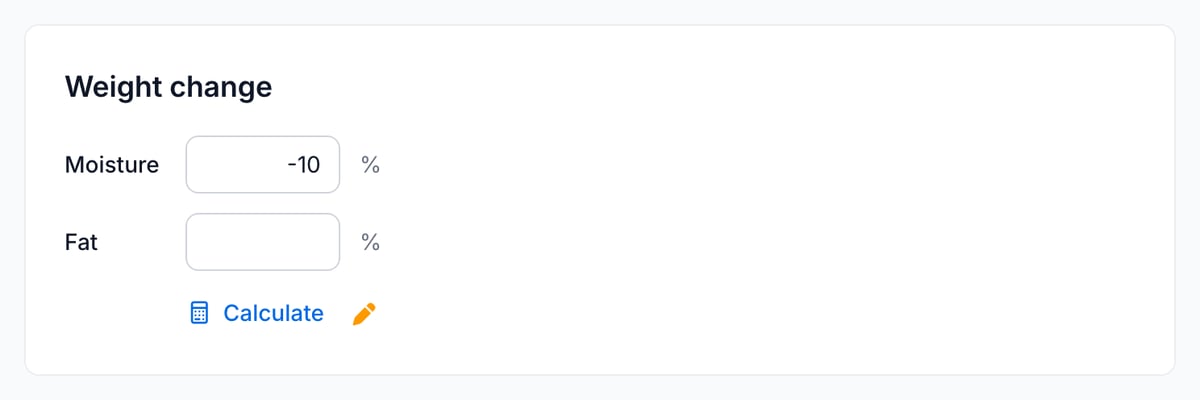
If you then change a percentage yourself, an amber pen appears next to Calculate. It shows that the values no longer come from the weights. Click the pen to restore the calculated values.
Copy the Nutritional Values
The Nutritional values tab has two columns. On the left is what Eclarion calculates from the bill of materials, on the right what you have saved. The left column uses the weight change straight away. The right column only changes when you copy the values or change them yourself.
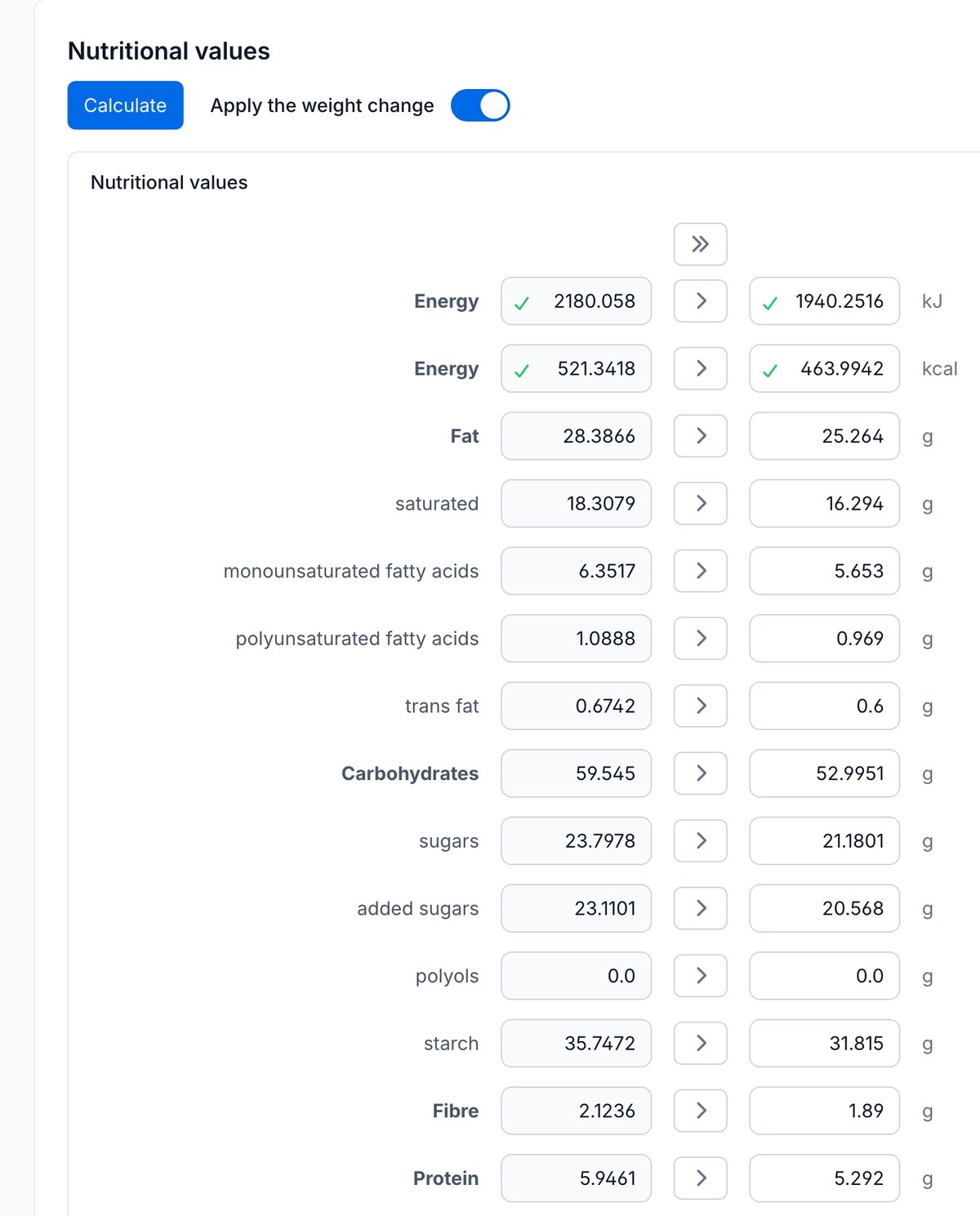
Use » to copy the calculated values of a whole block, or > for a single row. Then click Save. For the butter biscuits, energy per 100 grams goes from 1,940 to 2,180 kJ. Fat rises from 25.3 to 28.4 grams and protein from 5.3 to 5.9 grams, because only moisture is lost.
Otherwise only a cascading change updates the saved values. Values you typed yourself or pinned with the pen next to the row stay in place.
Nutritional Values Without the Weight Change
You can also base the nutritional values on the raw recipe, without the weight change. This is not a standard method: the values must apply to the food as sold (Article 31 of EU 1169/2011), so it is only defensible if you back up the values with analyses of the finished product and stay within the tolerances. That responsibility is yours. For bread, biscuits and pastry, where only moisture is lost, the values on the label come out too low this way.
If you have those analyses, turn off the Apply the weight change switch on the Nutritional values tab of that recipe.
The switch appears as soon as a weight change has been entered, and is on by default for each recipe. When it's off, the left column goes back to the values of the raw recipe. The saved values only follow when you copy the calculated values.
The switch only affects the nutritional values. It doesn't change the meat content, the PAL assessment or the percentages in your ingredient declaration.
Want to know which calculation rules apply to the label? Read How to calculate a nutrition declaration.