Building a recipe from ingredients
A recipe in Eclarion is built from ingredients with their weights. Based on the bill of materials, Eclarion automatically calculates the ingredient declaration, nutritional values and allergens.
1. Create a new recipe
Go to the Recipes tab and click Add. Enter the product name and optionally a legal name if it differs from the commercial name.
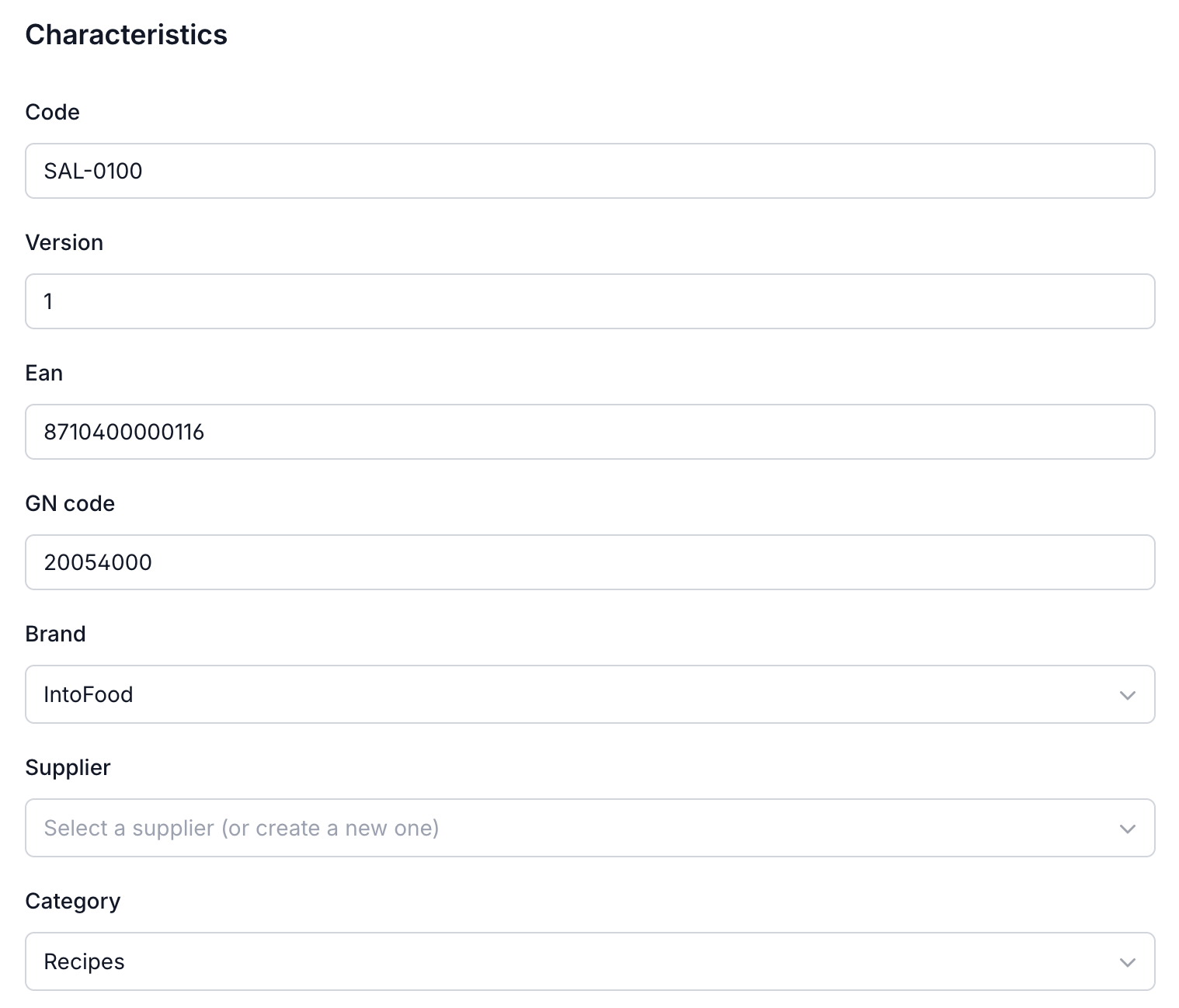
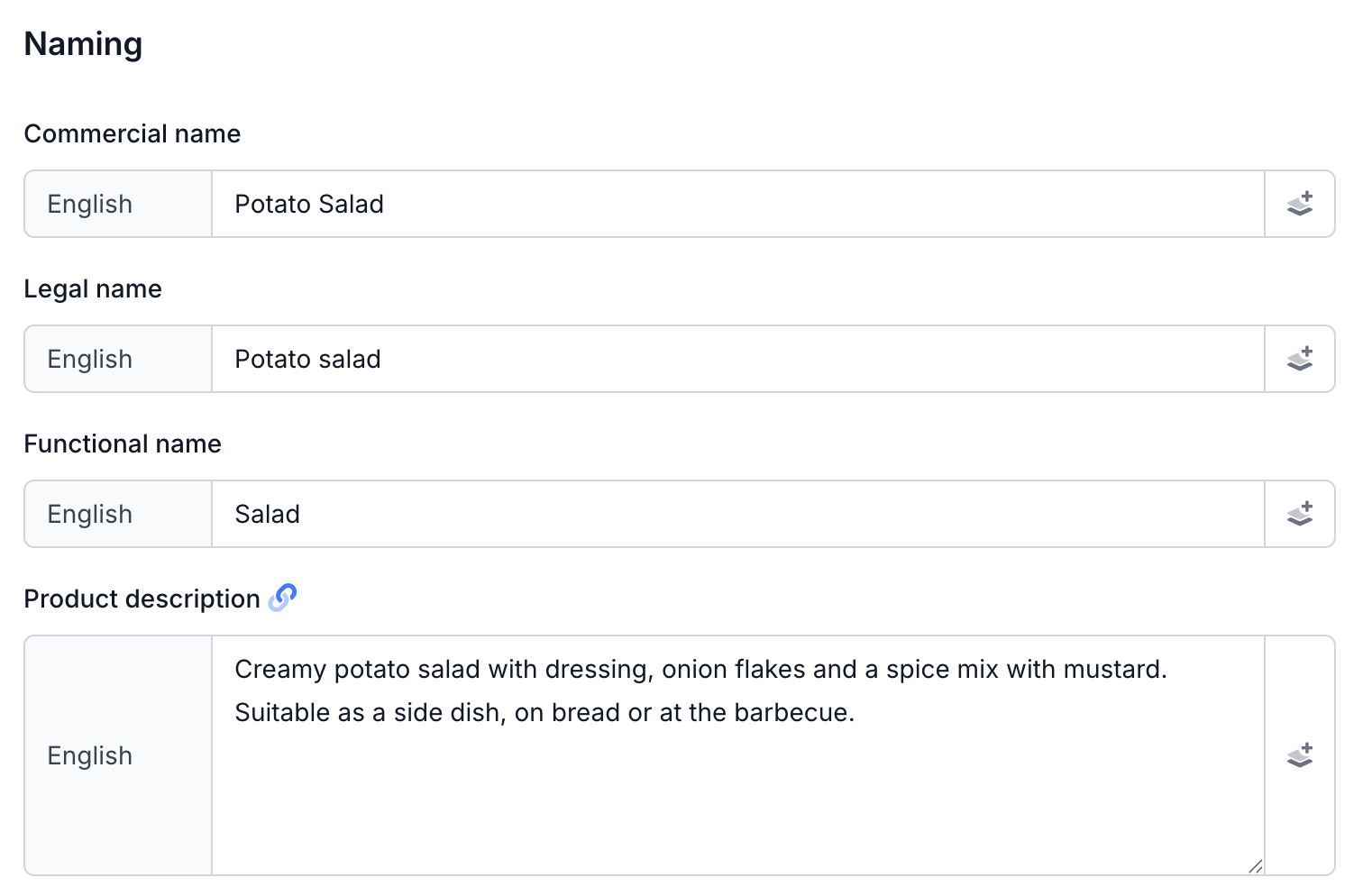
2. Build the bill of materials
Go to the Bill of materials tab. Click Add line item and select an ingredient from your list. Enter the weight — Eclarion automatically calculates the percentages.
Add all ingredients this way. Order doesn't matter — Eclarion sorts them automatically from high to low for the ingredient declaration.
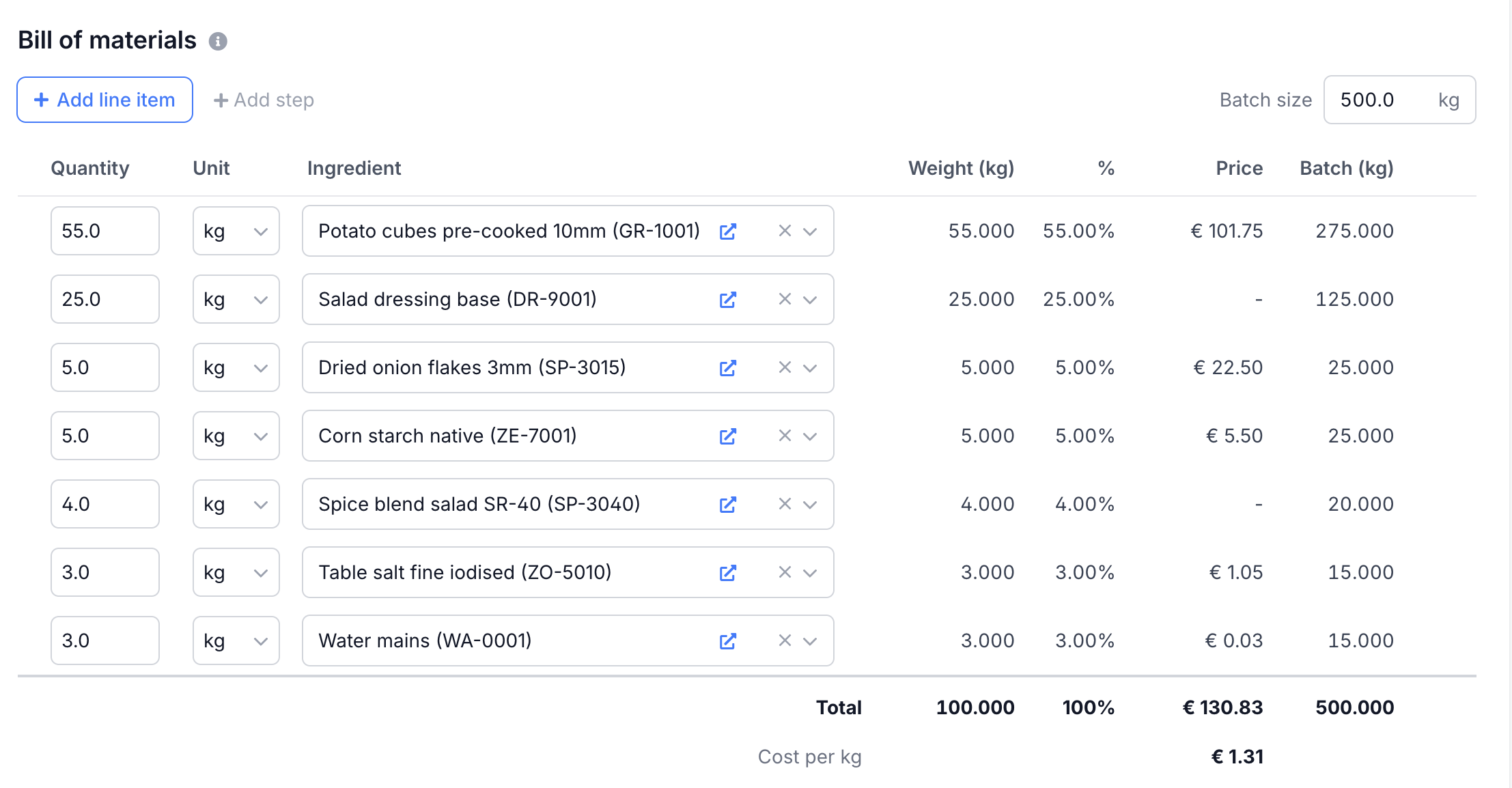
Tip: working with compound ingredients like a dressing or spice mix? Create those first as a separate ingredient with its own bill of materials. Eclarion calculates everything correctly through nested structures — even multiple levels deep.
Product data
Beyond the bill of materials, your recipe has tabs for all product information that ends up on the specification:
- Shelf life — storage temperature, best before/use by dates, minimum shelf life
- Microbiology — microbiological specifications and test methods
- Physical / Chemical properties — pH, water activity, metal detection
- Organoleptic properties — colour, odour, taste, texture
- Packaging — consumer unit and trade unit with dimensions and weights
- Statements — claims and certifications at product level
- Documents — analysis reports, product photos
Next steps
Your recipe is set up. From the bill of materials, Eclarion automatically calculates everything — allergens, nutritional values and the ingredient declaration. The following steps walk you through each part:
- Entering allergens — check allergen statuses and cross-contamination
- Calculating nutritional values — review and copy nutritional values
- Building the ingredient declaration — the ingredients list for the label