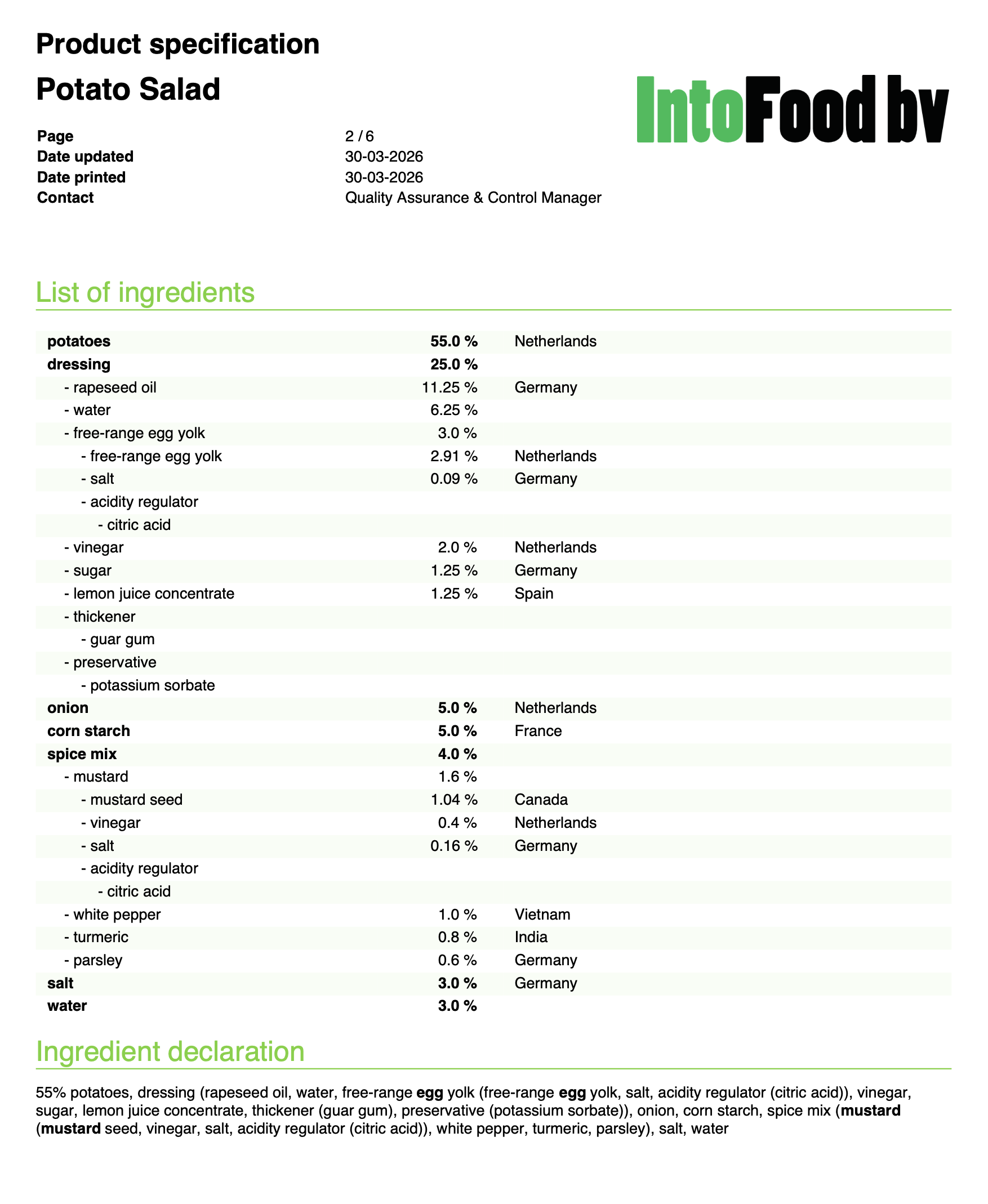
Generating a product specification as PDF
Eclarion generates professional product specifications as PDF — ready to share with your customers. All data you've entered (nutritional values, allergens, ingredient declaration, packaging) comes together in one document.
1. Choose layout and language
At the bottom of your recipe you'll find the Product specification button. Click the arrow next to it to choose the layout and language. Each layout determines which sections are visible on the specification.
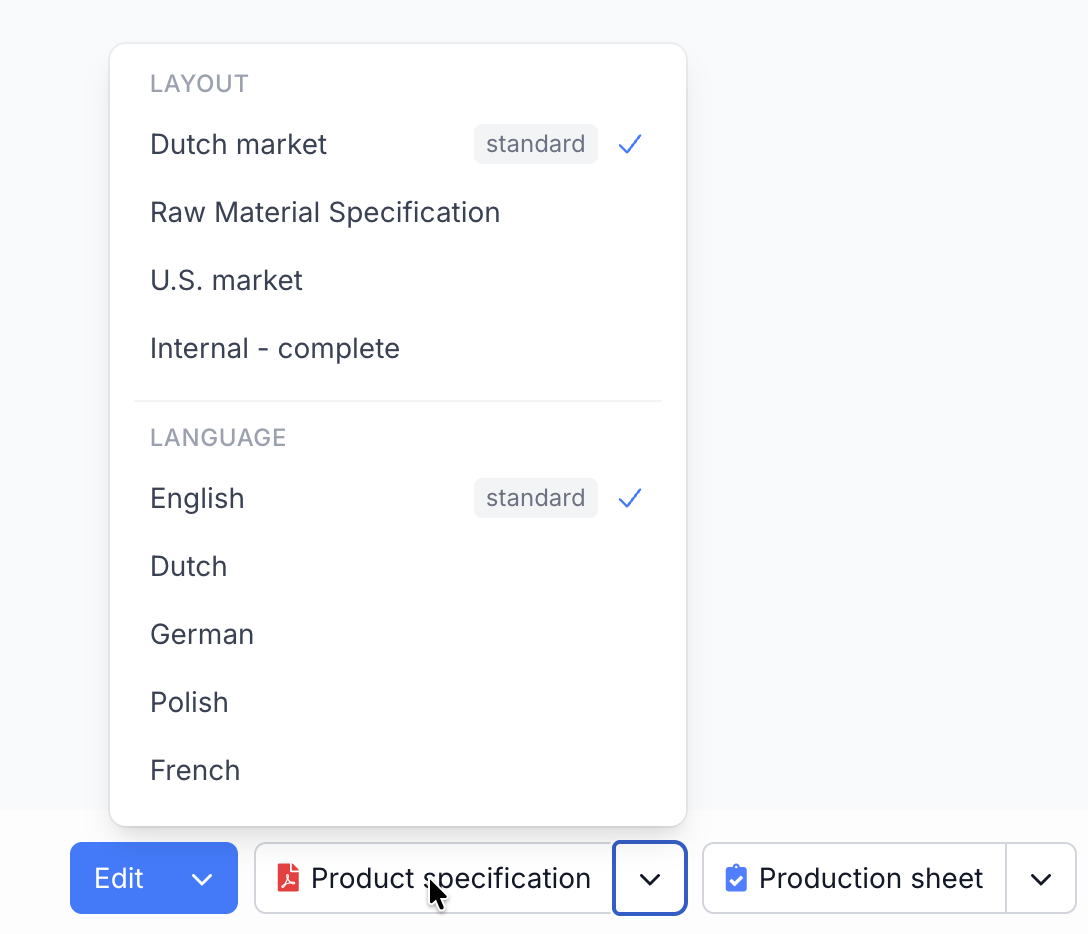
Tip: create separate layouts per market. Your Dutch specification gets the PAL assessment based on NL ED05, your export specification based on VITAL 3.0. Manage layouts via Settings > Specification layouts.
2. Generate and download
Click Product specification to generate the PDF. The preview opens immediately. Download the PDF via the Download button at the top right of the preview.
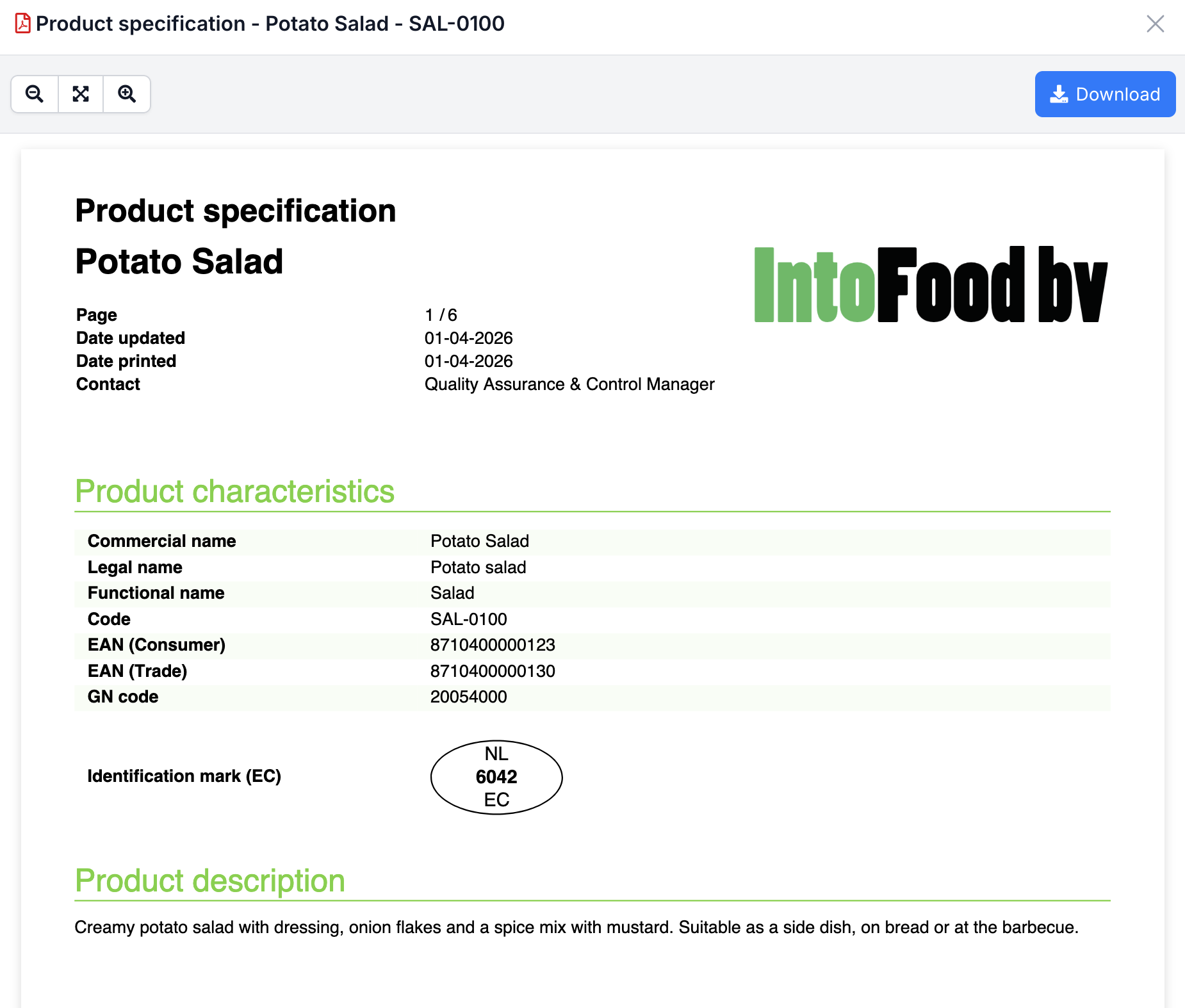
3. The result
A professional PDF with all product information — from ingredient declaration to nutritional values, allergens and packaging details.