Entering and calculating allergens per recipe
Eclarion calculates the allergen status of your end product automatically from the bill of materials. You set the status per ingredient — Eclarion does the rest.
1. Enter allergen status per ingredient
Open an ingredient (raw material) and go to the Allergens tab. For each allergen, choose the status:
- Free from — the allergen is not present in this ingredient
- May contain — there is a risk of cross-contamination
- Contains — the allergen is an intentionally added ingredient
- Unknown — the status has not been determined yet
Do this for all your raw materials. The 14 mandatory allergens (EU 1169/2011) are listed by default. If your account has additional allergens configured, they appear here too.
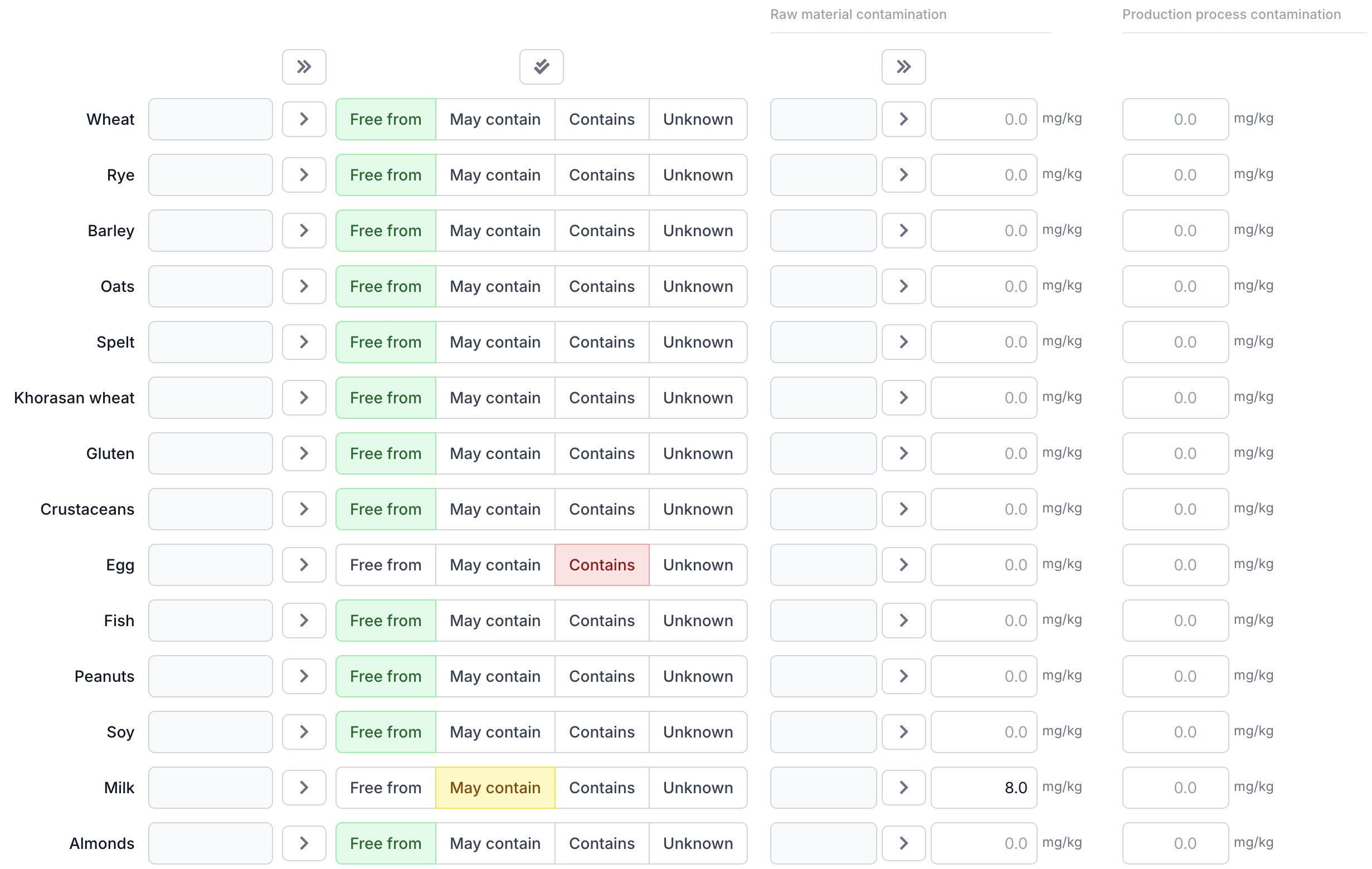
Tip: start with your raw materials and work your way up. Once every ingredient has the correct allergen status, Eclarion can calculate the end product in a single click.
2. Calculate from the bill of materials
Open your end product and click Calculate at the top of the allergen table. Eclarion processes the entire bill of materials and determines the highest status per allergen — including through compound ingredients. If one ingredient contains sesame, the end product shows sesame as "Contains".
Calculated values appear in the grey column. Copy them to the active column using the copy all button (») or per row with the copy button (>).
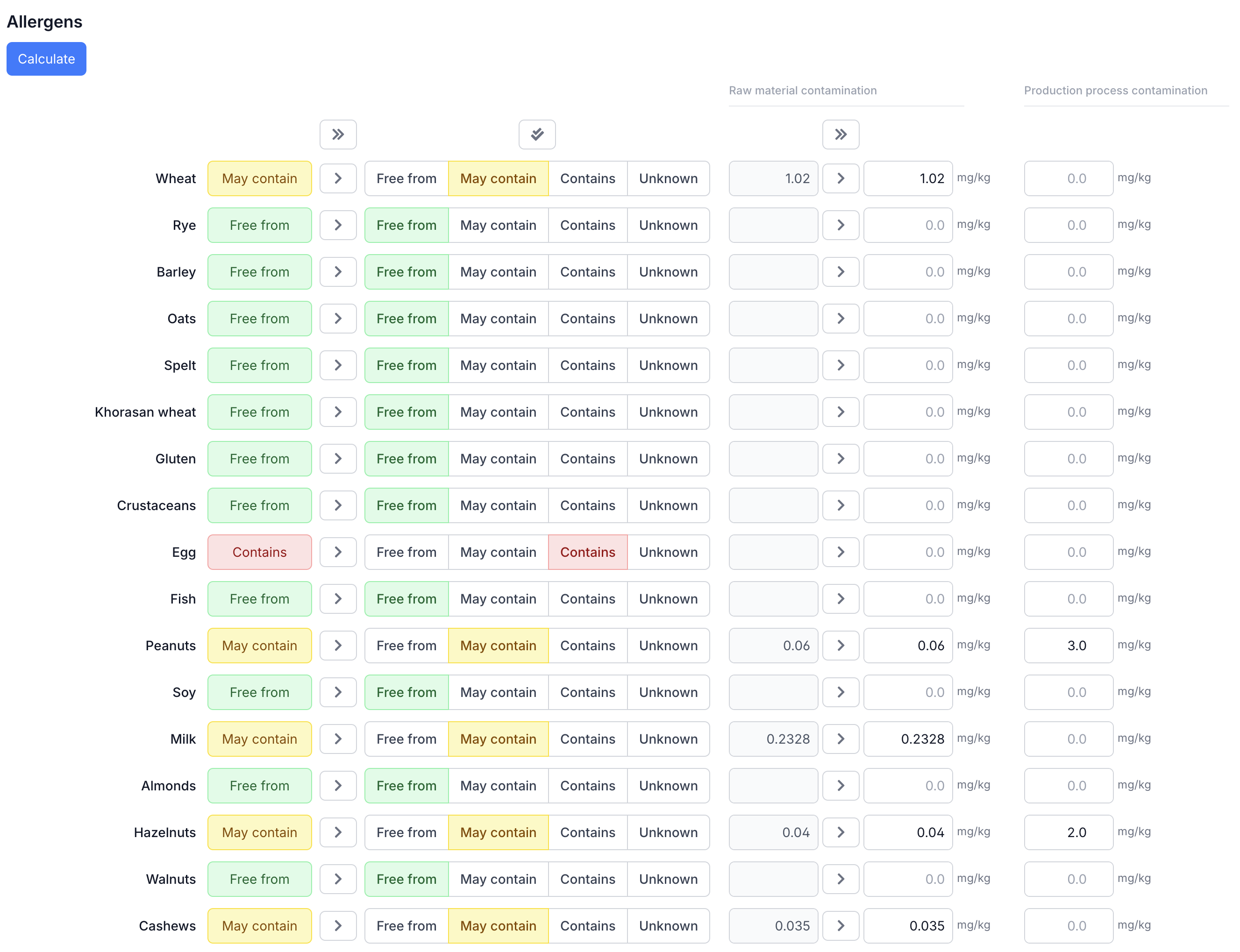
3. Allergen statement
Below the allergen table you'll find the allergen statement — a free text field where you compose the full allergen sentence for the label. For example: "Contains: egg, mustard. May contain traces of: sesame, peanuts."
Cross-contamination and PAL
Want to enter cross-contamination data (contamination values) alongside the allergen status and perform a quantitative risk assessment? Read the full guide on the PAL assessment. It walks you through the complete process: entering contamination per ingredient, process contamination from your production line, and the automatic Hazard Quotient calculation per VITAL standard.
Next steps
Continue with the other parts of your recipe:
- Calculating nutritional values — review and copy nutritional values
- Building the ingredient declaration — the ingredients list for the label